
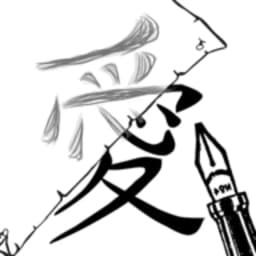
Tangkapan layar
Tentang Tracing Paper Sketching
Tracing Paper Sketching mengubah perangkat Android Anda menjadi kotak cahaya, memungkinkan Anda melacak gambar langsung ke kertas dengan mudah. Jika Anda seorang seniman yang mencari cara cepat untuk mentransfer pose referensi, komposisi, atau desain ke buku sketsa Anda, aplikasi ini menghilangkan kerumitan metode pelacakan tradisional.
Alur kerja intinya mudah: pilih gambar dari galeri Anda, ambil foto baru, atau bahkan lacak teks. Putar dan ubah ukuran gambar sumber Anda hingga sesuai dengan kebutuhan Anda. Kunci layar untuk menjaga referensi Anda tetap stabil, lalu letakkan kertas di atas perangkat Anda dan lacak garis-garis yang menyala menggunakan cahaya alami layar. Tidak ada alat gambar, tidak ada filter, tidak ada fitur yang tidak perlu—hanya utilitas terfokus yang melakukan satu hal dengan baik.
Seniman yang bekerja dengan gambar referensi yang lebih kecil paling diuntungkan dari pendekatan ini. Layar Android Anda menjadi sumber cahaya, menghilangkan kebutuhan akan kotak cahaya atau meja pelacakan khusus. Kesederhanaan membuatnya cepat diatur di antara sketsa, apakah Anda sedang mengerjakan pose karakter, detail arsitektur, atau studi tipografi. Kemampuan untuk memutar dan menskalakan berarti Anda dapat menyesuaikan materi referensi agar sesuai dengan proporsi kanvas Anda tanpa menggambar ulang dari awal.
Tracing Paper Sketching berjalan di Android 5.0 dan yang lebih baru, membuatnya dapat diakses oleh sebagian besar perangkat. Kurangnya alat pengeditan menjaga antarmuka tetap rapi, sehingga Anda fokus pada gambar sumber Anda daripada menavigasi menu. Kekuatan aplikasi terletak pada tujuan tunggalnya: memungkinkan sesi pelacakan fisik yang cepat. Ukuran layar memang penting—layar yang lebih besar menawarkan ruang kerja yang lebih nyaman—tetapi bahkan ponsel ringkas pun berfungsi sebagai alat bantu pelacakan fungsional untuk gambar yang lebih kecil.
Unduh Tracing Paper Sketching untuk menambahkan metode pelacakan yang sederhana dan bebas gangguan ke alur kerja menggambar Anda. Baik Anda memblokir proporsi, bereksperimen dengan pose yang tidak dikenal, atau mentransfer karya garis yang detail, aplikasi ini menyederhanakan proses dan membuat Anda terus membuat sketsa.
Kelebihan & Kekurangan
Kelebihan
- Transforms your phone into a functional light box without extra hardware
- Rotate and resize images to match your canvas proportions quickly
- Minimal interface keeps focus on your reference image, not menus
- Works on Android 5.0 and later, compatible with most older devices
Kekurangan
- Screen brightness may be insufficient for tracing on very small devices
- Prolonged screen-on use during tracing sessions drains battery noticeably
- Limited to smaller reference images; larger compositions may not fit your display
- No layer support or digital editing options if you want to refine traced marks digitally
Pertanyaan umum tentang Tracing Paper Sketching
Apakah Tracing Paper Sketching aman untuk diunduh?
Laporan pemindaian malware untuk versi Tracing Paper Sketching ini belum tersedia di Unstore. Instal file hanya dari sumber tepercaya dan biarkan perlindungan keamanan perangkat Anda tetap aktif.
Apa saja persyaratan sistem untuk Tracing Paper Sketching?
Tracing Paper Sketching berjalan di Android. Ukuran unduhannya 38.6 MB.
Apa versi terbaru Tracing Paper Sketching?
Versi terbaru Tracing Paper Sketching di Unstore adalah 1.0.0. Terakhir diperbarui pada 27 Juli 2026.
Siapa pengembang Tracing Paper Sketching?
Tracing Paper Sketching dikembangkan oleh Csákvári Dávid.
Aplikasi Terkait

Microsoft PowerToys
Utilitas Windows dan alat produktivitas — tingkatkan alur kerja Anda dengan alat sistem, manajemen jendela, dan fitur pratinjau file.

Windows Essentials 2012
Email, pesan, pengeditan foto, pembuatan video, dan penyimpanan cloud—Windows Essentials 2012 mencakup semua alat produktivitas yang Anda butuhkan.

Free Download Manager
Manajer unduhan yang mempercepat transfer, mengatur file berdasarkan jenis, dan menyinkronkan dengan Firefox dan Chrome.

HWiNFO
Pemantauan perangkat keras untuk Windows—lacak suhu CPU, beban GPU, kecepatan kipas, voltase secara real-time.

TransMac
Baca drive Mac dan file DMG di Windows. Akses penyimpanan APFS/HFS+ dan buat image disk.

TestDisk & PhotoRec
Pulihkan file yang hilang dan perbaiki partisi disk — alat pemulihan data open-source gratis untuk Windows.
Artikel terbaru

Pengonversi angka Romawi gratis online: instan, tanpa daftar, bekerja di ponsel Anda
Oct 6, 2026

Papan tulis online gratis seperti Jamboard: gunakan Quickboard di browser Anda, tanpa pendaftaran
Oct 6, 2026

Mainkan permainan Color Ball Sort Puzzle gratis di browser (tanpa unduhan)
Oct 6, 2026

Mainkan kart racer gaya Beach Buggy Racing gratis di browser (tanpa unduhan)
Oct 6, 2026

Mainkan game bergaya Alto's Adventure gratis di browser (tanpa unduhan)
Oct 6, 2026